
September 2, 2013 12:33 by
 Ben
BenAre you looking for a solution to filter your data using the Data Model Binding in ASP.NET 4.5? Maybe these tips can help you.
Earlier versions of ASP.Net have the ObjectDataSource Control but ASP.NET 4.5 has integrated it with Data Controls. New properties are included in ASP.NET 4.5 such as SelectMethod, UpdateMethod and DeleteMethod.

The following is a way to filter the data to the data model binding in ASP.NET 4.5 :
1. First of all create a new Web Application in V.S 2012.
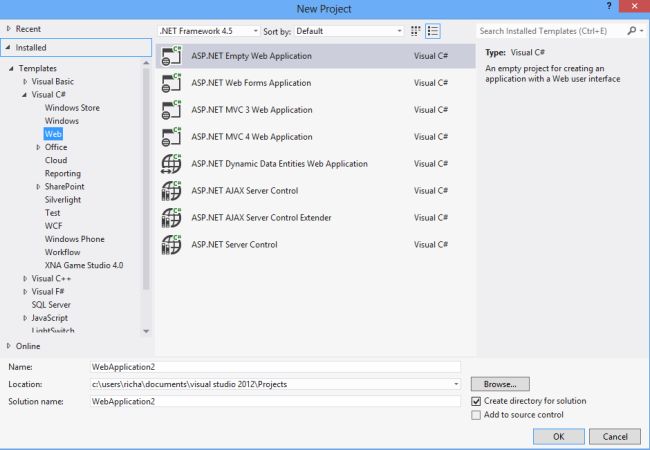
2. Now add the Grid View to your Web Page. I have create a basic model class “Employee” like below.

3. This class contains three properties EmployeeId,FirstName and LastName. And create one method to get a generic list of employee model like following.
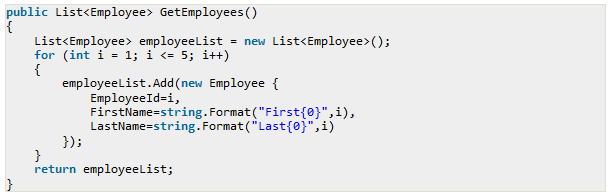
4. Now it’s time to use “SelectMethod” attribute like following.

5. After that you can run this program.
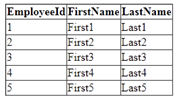
You can also do the filtering with the Select Method very easily. Here to demonstrate the filtering let’s take a dropdown list control like following and based on the dropdown list control selected item we will filter our grid view with select method.
1. Follow this HTML Code
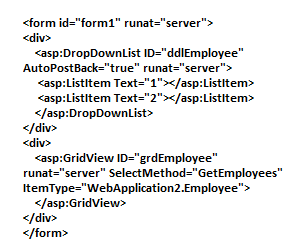
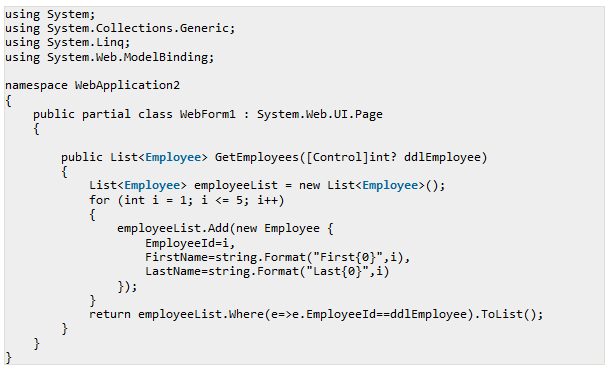
2. Now let’s modify your GetEmployees method like following to filter based on dropdownlist control.
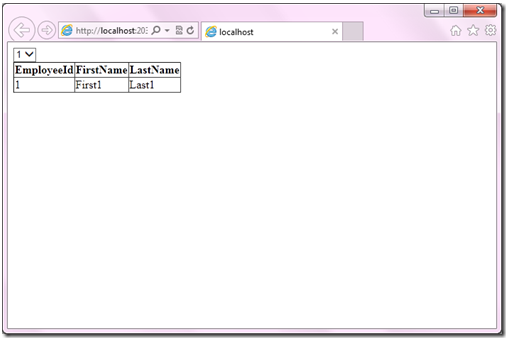
3. Now let’s run the example again.
fa720fcd-8a85-4403-b056-f6c97c3995dc|0|.0